
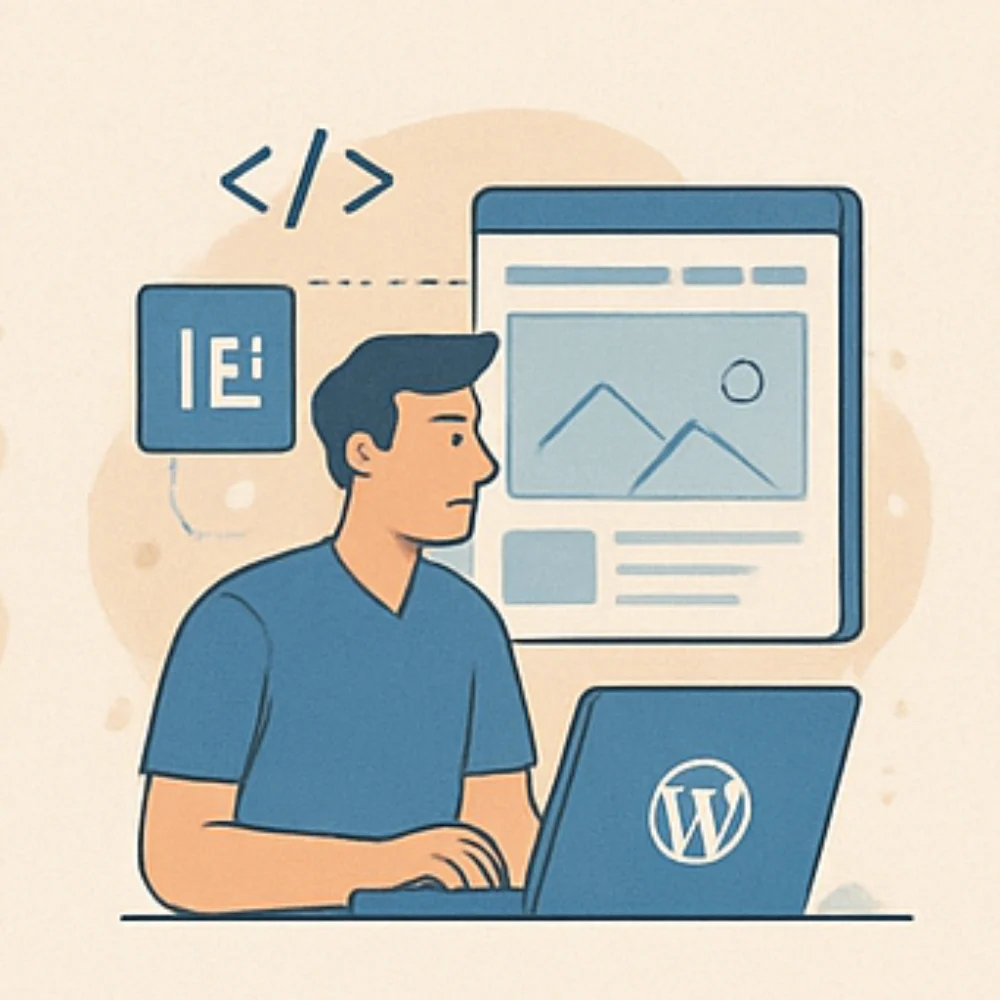
In 2025, applying key web design practices will really make a difference for any website. First, responsive design is must-have now since visitors use all kinds of devices, and your site needs to look good everywhere. Organizing content well through visual hierarchy helps users find important info easily without feeling lost. Typography matters too, choosing readable fonts and proper spacing makes content comfortable to read. Colors should be consistent and offer good contrast for accessibility and brand identity. Fast loading times keep people engaged, while clear call-to-actions encourage action without confusion. Also, making sites accessible ensures everyone can use them, which broadens your audience. Lastly, SEO-friendly design boosts search rankings by combining clean structure with performance optimization, all these together help build user trust and better results in the long run.
Table of Contents
- Responsive Design for All Devices
- Creating Clear Visual Hierarchy and Layout
- Optimizing Typography and Readability
- Applying Effective Color Theory
- Improving Page Load Speed
- Maintaining Consistent Branding
- Designing Strong Call-To-Actions
- Incorporating Accessibility Features
- Building SEO-Friendly Website Structure
Responsive Design for All Devices
Creating a website that works smoothly across desktops, tablets, and mobile phones is essential in 2025. Responsive design relies on flexible grids and images that adjust fluidly to different screen sizes. Instead of fixed widths, it’s better to use relative units like percentages or viewport units to avoid layouts breaking on narrow screens. Media queries help by changing CSS rules based on device features such as width and resolution, allowing you to tailor styles for each device type. It’s important to test your design regularly on multiple devices to ensure everything appears consistent and functions well. Tools like Divi’s real-time device preview can make this process easier by letting you adjust element size, position, or visibility on the fly. On smaller screens, hiding or resizing non-critical content reduces clutter and speeds up loading times. Additionally, touch targets like buttons and links should be large enough to tap comfortably on mobile devices. Optimizing images with responsive formats and sizes balances quality with performance, enhancing load speeds without compromising visuals. Keep navigation simple and accessible by using collapsible menus or icons for mobile views, improving usability without overwhelming the user. Finally, as new devices and screen sizes continue to emerge, regularly updating your responsive breakpoints ensures your site stays adaptable and user-friendly.
- Design layouts that adapt fluidly to various screen sizes including desktops, tablets, and mobiles using flexible grids and images.
- Use media queries to apply different CSS rules based on device characteristics like width and resolution.
- Test designs on multiple devices regularly to ensure consistent display and usability.
- Employ tools such as Divi’s real-time device preview to fine-tune element visibility and positioning for each device type.
- Hide or resize non-critical elements on smaller screens to reduce clutter and improve loading speed.
- Avoid fixed width elements that break layouts on narrow screens; prefer relative units like percentages or viewport units.
- Ensure touch targets like buttons and links are large enough for easy tapping on mobile devices.
- Optimize images with responsive formats and sizes to balance quality and performance across devices.
- Keep navigation simple and accessible on all devices, using collapsible menus or icons for mobile views.
- Continuously update and refine responsive breakpoints as new devices and screen sizes emerge.
Creating Clear Visual Hierarchy and Layout
A clear visual hierarchy helps guide visitors naturally through your website, starting with the most important information and flowing smoothly to supporting details. Use larger fonts and bold weights for headings to define sections clearly, making it easier for users to scan and understand the content. Contrasting colors and ample spacing between content blocks and calls to action (CTAs) create distinct areas that stand out without overwhelming the eye. Incorporate generous white space around elements to reduce clutter and improve focus, giving users room to breathe and better absorb information. Position key elements like CTAs in prominent spots, such as above the fold or at the end of a section, so users can find them quickly without searching. Consistent use of grids and alignment brings order and balance across pages, which enhances the overall user experience. It’s important to limit the number of competing focal points on each page to avoid confusing visitors or diluting your message. Directional cues like arrows or images facing CTAs can subtly steer attention where you want it. Tools like Divi’s drag-and-drop builder and pre-built layouts make experimenting with different hierarchies easier, allowing you to test and refine user flow to remove distractions or bottlenecks. By thoughtfully organizing your layout with these principles, you create a website that feels intuitive, focused, and welcoming to visitors.
Optimizing Typography and Readability
Choosing the right fonts is a key part of web design in 2025. Fonts should align with your brand’s personality while staying clear and easy to read. Stick to web-safe fonts or trusted sources like Google Fonts to ensure your text looks consistent across different browsers and devices. For body text, a minimum font size of around 16px is recommended to avoid strain, especially on smaller screens. Use contrasts in font size and weight between headings, subheadings, and body text to create a clear structure that guides readers through your content. Adjust line height to about 1.4 to 1.6 and consider letter spacing carefully; these tweaks prevent the text from feeling cramped and improve legibility. Limit line length to roughly 50 to 75 characters per line, too long lines can tire the eyes and disrupt reading flow. Left-align text for most languages to support natural reading habits, and avoid large blocks of all caps or decorative fonts since they reduce comfort and comprehension. Always test your typography on various devices and lighting conditions to ensure readability. Pair your font choices with strong color contrast to meet accessibility standards and make your content inviting for all users.
Applying Effective Color Theory
Choosing the right colors is more than just picking what looks good; it shapes how users feel and interact with your site. Start by building color palettes based on harmonious schemes like complementary, analogous, or monochromatic colors to create balance and visual appeal. Consistently use your brand colors for main elements such as headers, buttons, and links to strengthen your identity and make your site memorable. Make sure there is enough contrast between text and background to keep content readable and meet accessibility standards, which benefits all users. Accent colors should be used carefully and sparingly to highlight important features or calls to action, so they draw attention without overwhelming the design. Tools like Divi’s color picker and palette management help you keep colors consistent across pages and test real-time contrast, simplifying the process. It’s also important to test color combinations across different devices and lighting conditions to ensure colors remain clear and appealing everywhere. When selecting colors, consider the cultural meanings and emotional responses of your target audience to connect better and avoid misunderstandings. Using neutral backgrounds can help your content and accent colors stand out more effectively. Avoid using too many colors, which can confuse users and weaken your brand’s impact. Adding subtle gradients or shadows can give your design depth and dimension without complicating the overall look, keeping the experience smooth and engaging.
| Color Scheme Type | Purpose | Usage Tips | Tools / Features |
|---|---|---|---|
| Complementary | Creates strong contrast and vibrant look | Use for highlights and CTAs to grab attention | Divi’s color picker and palette management |
| Analogous | Provides harmony and subtle variation | Use for backgrounds and secondary elements | Divi’s color picker |
| Monochromatic | Ensures simplicity and consistency | Use for minimalist designs and subtle emphasis | Divi’s palette management |
| Contrast | Ensures readability and accessibility | Maintain high contrast between text and background | Contrast testing tools in Divi |
| Brand Colors | Reinforces identity and recognition | Apply consistently across headers, buttons, and links | Divi’s global color presets and style guides |
| Accent Colors | Highlights important features and CTAs | Use sparingly to avoid overwhelming users | Divi’s real-time color adjustments |
| Neutral Backgrounds | Makes content and accents stand out | Use soft, neutral tones for backgrounds | Divi’s background color options |
| Gradients and Shadows | Adds depth without complexity | Apply subtle effects to enhance visual interest | Divi’s gradient and shadow controls |
Improving Page Load Speed
Page load speed is a crucial factor for user experience and search rankings in 2025. To improve it, start by minimizing page size through compressing images and using modern formats like WebP, which reduce file size without losing quality. Cleaning up website code is equally important, remove unnecessary scripts, styles, and plugins that add extra weight and slow down loading. Implement caching solutions such as WP Rocket or W3 Total Cache to serve static versions of pages quickly, and use a content delivery network (CDN) to deliver assets faster to users around the world. If you’re using themes like Divi, leverage its built-in speed optimization features and ensure it works well with caching tools. Avoid heavy animations or video backgrounds that can drag down load times, and defer non-essential scripts while lazy-loading images that appear below the fold. Regularly monitor your site speed with tools like Google PageSpeed Insights or GTmetrix to catch issues early. Finally, optimize server response times by selecting reliable hosting providers and keeping your software up to date. Balancing visual appeal with performance means prioritizing critical content first while deferring extra elements, ensuring visitors get the information they need without unnecessary delays.
Maintaining Consistent Branding
Consistent branding is key to building trust and recognition on your website. Start by defining your core brand elements such as colors, fonts, button styles, and imagery guidelines before designing any pages. Using global presets or style guides within tools like Divi helps apply these styles across your entire site without manual adjustments. Creating reusable templates for headers, footers, and content sections ensures your brand identity is always present and uniform. For dynamic content like products, team bios, or case studies, use templates that maintain the same look and feel, so visitors experience a cohesive design regardless of the page. Keep button styles consistent in shape, size, color, and hover effects to reinforce familiarity and usability. Make sure all written content uses a consistent tone and style that matches your brand personality, which strengthens your message and user connection. Regularly auditing the website to catch any branding inconsistencies helps maintain professionalism over time. Leveraging Divi’s theme builder allows you to manage branding elements centrally, making site-wide updates quick and seamless. Also, ensure images and graphics follow a consistent style or color grading to avoid visual clashes. Finally, train your content creators and developers to strictly follow brand guidelines so the consistency you build remains intact as your site grows and evolves.
Designing Strong Call-To-Actions
Effective call-to-actions (CTAs) are vital for guiding users toward your website’s goals, whether that’s making a purchase, signing up, or requesting more information. To design strong CTAs, place them in highly visible spots where users naturally finish reading or pause, such as at the end of sections or near key content. Using contrasting colors that stand out from the background and surrounding elements helps these buttons catch the eye without overwhelming the overall design. On mobile devices, CTAs should be large enough for easy tapping but balanced well to avoid clutter. The copy on CTA buttons must be clear and action-oriented, telling users exactly what to do and what they gain, like “Get Your Free Trial” or “Download Now.” Adding urgency or value, such as limited-time offers or exclusive benefits, can motivate more clicks. Subtle hover effects or gentle animations draw attention without distracting from the rest of the page. Testing different versions of CTA text, colors, and placements with A/B testing is important to discover what converts best for your audience. Tools like Divi’s CTA modules simplify customization and allow integration with AI-powered copy generation, helping create compelling CTAs quickly. It’s also important to limit the number of CTAs per page to reduce user confusion and decision fatigue. Finally, ensure your CTAs are accessible by supporting keyboard focus and including screen reader labels so all users can interact with them easily.
Incorporating Accessibility Features
Ensuring your website is accessible means making it usable for everyone, including people with disabilities. Start by using clear and logical heading structures (H1 to H6) to organize your content semantically, which helps screen readers navigate the site easily. Always add descriptive alt text to images so users relying on screen readers understand the visual content. Pay close attention to color contrast between text and backgrounds to support users with visual impairments. Avoid using color alone to convey important information; include text labels or patterns to make messages clear. Interactive elements like buttons and links should be fully keyboard navigable, allowing users to operate the site without a mouse. Tools like Divi simplify this by automatically applying semantic HTML and providing options to add accessibility attributes such as ARIA landmarks and roles, which improve assistive technology support. Regularly test your website using accessibility checkers and screen reader software to catch issues early. Whenever possible, offer options for users to adjust font sizes or switch to high contrast modes, enhancing readability for those who need it. Finally, comply with WCAG guidelines by using dedicated plugins or extensions designed to boost accessibility, ensuring your site meets current standards and expands its reach.
Building SEO-Friendly Website Structure
A solid SEO-friendly website starts with clean, efficient code that search engines can easily crawl and index. Using proper heading tags helps define the structure and priority of your content, making it clear which parts are most important. Navigation menus should be straightforward and logical, guiding both users and search engine crawlers through your site’s hierarchy. Mobile responsiveness and fast loading times remain crucial ranking factors, so optimizing for these elements ensures better visibility. Descriptive, keyword-rich URLs that clearly reflect the page content improve both SEO and user trust. Images need proper alt text and file names relevant to the content to enhance accessibility and search engine understanding. Internal linking is another key practice: connecting related pages distributes page authority and keeps visitors engaged longer. Tools like Rank Math simplify managing meta tags, descriptions, and schema markup, while Divi’s SEO-friendly features and AI tools help generate optimized content quickly, making the process smoother. Regularly updating your content and monitoring SEO performance will keep your site competitive in search rankings, ensuring lasting success.
Frequently Asked Questions
1. How can web designers ensure websites stay user-friendly with evolving technology in 2025?
Designers should focus on simplicity, intuitive navigation, and accessibility. This means making sure websites work well across devices, load quickly, and provide clear paths for users to find what they need without confusion.
2. What role does accessibility play in modern web design best practices?
Accessibility ensures everyone, including people with disabilities, can use a website comfortably. This involves using readable fonts, proper color contrasts, keyboard navigation, and screen reader compatibility, which boosts user experience and compliance.
3. How important is mobile responsiveness in web design for 2025?
Mobile responsiveness remains critical since more users browse on phones and tablets. A responsive design adapts layouts and content to different screen sizes, which improves usability, SEO rankings, and overall engagement.
4. Why should web designers prioritize performance optimization in 2025?
Fast-loading sites matter because users expect quick access to content. Optimizing images, minimizing code, and using efficient hosting reduces load times, lowers bounce rates, and enhances the user experience, which is key for retaining visitors.
5. How can integrating AI tools improve web design workflows in 2025?
AI can speed up repetitive tasks like image editing, content recommendations, and personalized user interactions. It helps designers make data-driven decisions, automate testing, and create adaptable interfaces, making the design process more efficient and user-focused.
TL;DR To stay ahead in 2025, focus on nine key web design practices: ensure your site is fully responsive across devices; create a clear visual hierarchy with clean layouts; optimize typography for readability; apply thoughtful color schemes; speed up page load times; maintain consistent branding throughout; design strong, attention-grabbing CTAs; incorporate accessibility features for all users; and build an SEO-friendly structure. Using tools like Divi can simplify these tasks without coding, helping your site look good, perform well, engage visitors, and rank higher in search engines.